Capcut vs InShot: Which Video Editing App is Right for You?
In the digital age, video content has become a powerful medium for communication, storytelling, and entertainment. Whether you’re a budding content creator, a social media enthusiast, or just someone who loves capturing memories, having the right video editing app can make all the difference. Capcut and InShot are two of the most popular video editing apps available today, each offering a range of features to help you create stunning videos.
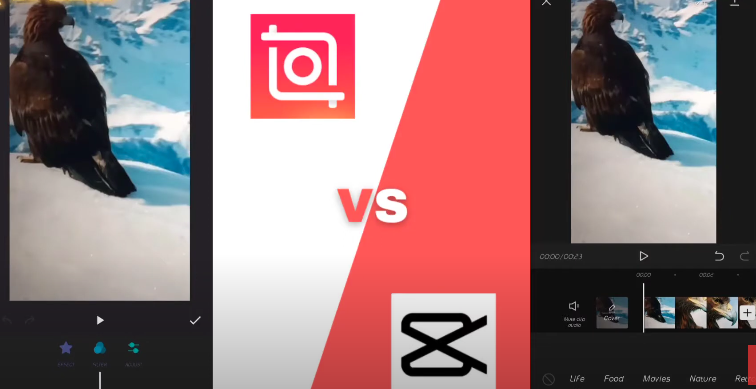
In this article, we’ll dive deep into the differences between Capcut and InShot, exploring their user interfaces, editing features, performance, effects, and more. By the end, you’ll have a clear understanding of which app suits your needs best, whether you’re looking for ease of use, advanced editing tools, or a balance of both. Let’s embark on this journey to find out which video editing app is perfect for you!
Capcut:
Capcut is designed with a focus on streamlined usability and efficiency. Its interface is intuitive, offering a clean layout that minimizes clutter while maximizing functionality. Navigating through Capcut feels natural, with essential editing tools conveniently placed for easy access.
Visual cues and tooltips further enhance usability, making it straightforward for users to apply edits, transitions, and effects. Whether you’re a beginner or a seasoned editor, Capcut’s user interface ensures a seamless editing experience, allowing you to create professional-quality videos with ease.
InShot:
InShot excels in providing a user-friendly interface that balances simplicity with powerful editing capabilities. The app’s layout is straightforward, guiding users through the editing process step-by-step. Editing tools are prominently displayed and easy to navigate, making it accessible for beginners while still offering advanced features like video trimming, transitions, filters, and text overlays.
InShot’s intuitive design ensures that users can quickly grasp its functionality, allowing for efficient creation and customization of videos directly from mobile devices.
Features Comparison
| Feature Category | Capcut | InShot |
|---|---|---|
| Editing Tools | Advanced timeline editing | Basic to intermediate editing capabilities |
| Effects and Filters | Wide range of effects and filters | Filters, effects, and basic animations |
| Export Options | Various export formats and resolutions | Standard export options |
| User Interface | Intuitive interface with easy navigation | Simple layout with accessible tools |
| Platform Support | Mobile (iOS, Android) | Mobile (iOS, Android), some desktop support |
Performance and Stability
Capcut
- Editing Performance: How smoothly does Capcut handle various editing tasks, such as timeline adjustments, effects application, and rendering?
- Stability: Does Capcut suffer from crashes or lag during intensive editing sessions or when exporting videos?
- User Feedback: Insights from user reviews and experiences regarding Capcut’s performance and stability.
InShot
- Editing Performance: Evaluate InShot’s performance in terms of speed and responsiveness during editing.
- Stability: Is InShot stable throughout the editing process, particularly with larger projects or complex edits?
- User Feedback: Gather user perspectives on InShot’s performance and stability based on real-world usage.
Comparison
- Head-to-Head Performance: Compare Capcut and InShot side-by-side in terms of editing speed, stability, and overall performance.
- Conclusion: Summarize which app offers better performance and stability based on user experiences and technical assessments.
Pricing and Subscription Models
| Feature | Capcut | InShot |
|---|---|---|
| Free Version | Available with basic features | Free with ads, basic features |
| Subscription Model | Monthly or annual subscriptions available | Monthly or annual subscriptions |
| Subscription Cost | Pricing tiers for additional features | Pricing tiers for additional features |
| In-App Purchases | Additional effects, filters, and tools | Additional effects, filters, and tools |
| Free Trial | Limited free trial period available | Limited free trial period available |
| Additional Costs | Certain features or effects may require purchase | Certain features or effects may require purchase |
| Refund Policy | Subject to app store policies | Subject to app store policies |
Platform Compatibility
Capcut
- Mobile Platforms: Availability and compatibility on iOS and Android devices.
- Desktop or Web Support: Discuss if Capcut offers desktop or web-based editing options.
- User Experience: How well Capcut integrates across different platforms and devices.
InShot
- Mobile Platforms: Availability and compatibility on iOS and Android devices.
- Desktop or Web Support: Explore if InShot provides any desktop or web-based editing capabilities.
- User Experience: Assess the seamless transition and compatibility between different platforms with InShot.
Comparison
- Platform Coverage: Compare the availability and functionality of Capcut and InShot across mobile platforms and potentially desktop/web platforms.
- User Accessibility: Evaluate how each app ensures a consistent and user-friendly experience across different devices and platforms.
- Conclusion: Summarize which app offers better platform compatibility based on accessibility, integration, and user experience.
User Reviews and Ratings
Capcut: User Insights and Community Feedback
- Rave Reviews: Discover why users praise Capcut for its intuitive interface and powerful editing capabilities.
- Creative Community: Explore how Capcut fosters a vibrant community of creators sharing tips and experiences.
- Criticisms and Improvements: Understand where Capcut falls short according to user feedback and how these issues impact usability.
InShot: Community Buzz and Real User Experiences
- Popular Appeal: Uncover why InShot is a favorite among users for its simplicity and robust editing features.
- Community Engagement: Learn how InShot’s community interacts and supports each other’s creative endeavors.
- Areas of Concern: Highlight common concerns voiced by users regarding InShot’s functionality or customer support.
Comparative Analysis
- User Sentiment: Compare the overall sentiment and ratings of Capcut and InShot across app stores and review platforms.
- User Stories: Share anecdotes and stories from users to provide a personal perspective on both apps’ strengths and weaknesses.
- Final Thoughts: Summarize the collective user experience to guide potential users in making an informed decision based on community feedback and ratings.
Conclusion
In conclusion, both Capcut and InShot offer unique strengths tailored to different editing needs. Capcut excels with its robust feature set and intuitive interface, making it ideal for users seeking advanced editing tools. In contrast, InShot stands out for its simplicity and accessibility, catering well to casual editors and social media enthusiasts. Choosing between the two ultimately depends on your editing goals and level of expertise.
FAQ
- Is Capcut or InShot better for beginners?
- Capcut offers more advanced editing features but may have a steeper learning curve. InShot is simpler and more beginner-friendly.
- Which app has better effects and filters?
- Capcut provides a wider range of effects and filters compared to InShot, catering to more advanced editing needs.
- Can I use Capcut or InShot on both iOS and Android devices?
- Yes, both Capcut and InShot are available on both iOS and Android platforms.
- Do Capcut and InShot offer desktop or web-based editing options?
- Capcut primarily focuses on mobile editing, while InShot may have limited desktop or web capabilities depending on updates and versions.
- Are there free trials available for Capcut and InShot?
- Both apps may offer limited free trials, but check their respective app stores for the most current information.
- What are the pricing tiers for Capcut and InShot subscriptions?
- Pricing varies based on features and subscription length. Capcut and InShot offer monthly or annual subscription options with additional features available for purchase.
- Which app has better performance and stability?
- Performance can vary based on device and editing requirements. User reviews suggest Capcut is generally more stable for intensive editing tasks, but both apps have positive ratings.
- Can I export videos in different formats with Capcut and InShot?
- Yes, both apps support various export formats, though Capcut may offer more customization options for video exports.