Capcut VS Filmora: Which is the Better Video Editing Tool?
In the world of video editing, finding the perfect tool can make all the difference in bringing your creative visions to life. Two of the most popular video editing software options are Capcut and Filmora. Whether you’re a seasoned professional or just starting out, choosing the right editor is crucial for achieving the best results.
Capcut, known for its intuitive interface and powerful editing capabilities, has quickly gained popularity among mobile video editors. On the other hand, Filmora, with its extensive range of features and user-friendly design, has been a favorite for both beginners and professionals on desktop platforms.
In this article, we’ll dive deep into the features, ease of use, and overall performance of Capcut and Filmora. By the end, you’ll have a clear understanding of which video editing tool is better suited to your needs. Let’s get started on this exciting journey of discovering the best video editing software for you!
Capcut
Capcut is a powerful and versatile video editing tool that has rapidly become a favorite among content creators. Known for its user-friendly interface and robust features, Capcut makes video editing accessible to everyone, from beginners to professionals.
Key Features of Capcut
- User Interface: Capcut boasts an intuitive and clean interface, making it easy for users to navigate and find the tools they need.
- Editing Capabilities: Capcut offers a wide range of editing tools, including trimming, cutting, merging, and splitting videos. It also supports multi-layer editing, allowing for more complex video projects.
- Special Effects and Filters: Capcut provides a variety of special effects, filters, and transitions to enhance your videos. You can add text, stickers, and music to make your videos more engaging.
- Advanced Features: Capcut includes advanced features such as chroma key (green screen), keyframe animation, and speed control, giving you the flexibility to create professional-looking videos.
- Export Options: Capcut supports exporting videos in various resolutions, including HD and 4K, ensuring high-quality output.
Pros and Cons of Capcut
| Pros | Cons |
|---|---|
| User-friendly interface | Limited to mobile devices |
| Wide range of editing tools | Some advanced features require in-app purchases |
| Supports multi-layer editing | Can be resource-intensive on older devices |
| Variety of special effects and filters | Learning curve for advanced features |
| Free to use with optional premium features | Limited integration with desktop platforms |
Capcut stands out as a comprehensive video editing solution for mobile users, offering a balance of ease of use and powerful features. Whether you’re creating content for social media or working on a more complex project, Capcut provides the tools you need to bring your ideas to life.
Filmora
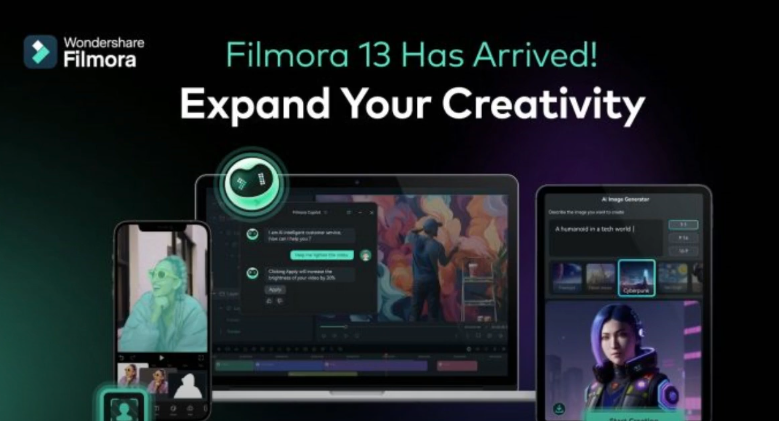
Filmora is a popular video editing software known for its user-friendly design and rich feature set. Whether you are a beginner or an experienced editor, Filmora offers a comprehensive suite of tools to help you create stunning videos with ease.
Key Features of Filmora
- User Interface: Filmora’s interface is clean and intuitive, designed to make video editing straightforward and accessible for users of all skill levels.
- Editing Capabilities: Filmora provides a broad range of editing tools, including trimming, cutting, merging, and splitting videos. It supports multi-track editing, allowing for more complex video projects.
- Special Effects and Filters: With a vast library of special effects, transitions, and filters, Filmora helps you enhance your videos effortlessly. You can also add text, music, and animations to make your content more engaging.
- Advanced Features: Filmora includes advanced features like green screen effects, audio editing, keyframing, and motion tracking, enabling you to create professional-quality videos.
- Export Options: Filmora offers various export options, including multiple resolutions and formats, ensuring your videos are compatible with different platforms and devices.
Pros and Cons of Filmora
| Pros | Cons |
|---|---|
| User-friendly interface | Watermark on free version |
| Extensive range of editing tools | Some features require additional purchases |
| Supports multi-track editing | Can be resource-intensive on low-end PCs |
| Vast library of special effects and filters | Limited mobile app features |
| Advanced features like motion tracking | Learning curve for advanced tools |
Filmora excels as a versatile video editing software, suitable for both beginners and professionals. Its balance of simplicity and powerful features makes it an excellent choice for creating high-quality videos, whether you’re working on a simple project or a complex production.
Capcut vs Filmora – Feature Comparison
When comparing Capcut and Filmora, understanding their features can help you choose the right video editing software for your needs. Here’s a comparison table highlighting the key features of both:
| Feature | Capcut | Filmora |
|---|---|---|
| User Interface | Clean and intuitive interface | User-friendly with a modern design |
| Editing Tools | Trimming, cutting, merging, multi-layer | Trimming, cutting, merging, multi-track |
| Special Effects | Variety of filters, effects, transitions | Extensive library of effects and filters |
| Advanced Features | Chroma key, keyframe animation, speed control | Green screen, motion tracking, audio editing |
| Export Options | HD, 4K, various formats | Multiple resolutions and formats |
| Platform | Mobile-focused | Desktop and mobile (but desktop dominant) |
| Pricing | Free with optional in-app purchases | Free trial, subscription-based pricing |
Both Capcut and Filmora offer robust features tailored to different editing needs. Capcut is ideal for mobile users looking for simplicity and mobility, while Filmora caters to desktop users seeking advanced editing capabilities and a broad range of effects and tools. Choose based on your editing style and platform preference to enhance your video creation experience.
Performance and Compatibility
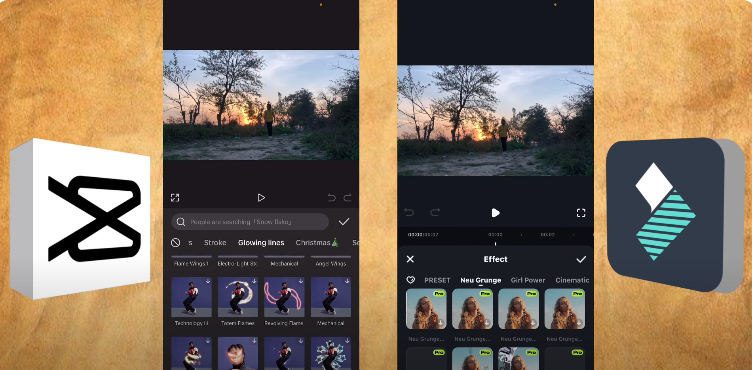
Ensuring your video editing software performs well across different devices and platforms is crucial for a seamless editing experience. Here’s a closer look at how Capcut and Filmora fare in terms of performance and compatibility:
- Capcut Performance:
- Mobile Optimization: Capcut is optimized for mobile devices, ensuring smooth performance and responsiveness on smartphones and tablets.
- Resource Efficiency: It generally performs well on newer devices; however, it may require more resources for intensive editing tasks or on older hardware.
- Stability: Users report generally stable performance with occasional updates improving stability and bug fixes.
- Filmora Performance:
- Desktop Dominance: Filmora is primarily designed for desktop platforms (Windows and macOS), offering robust performance capabilities on these systems.
- Resource Usage: It can be resource-intensive, especially when handling multiple tracks, advanced effects, or high-resolution footage.
- Stability: Filmora is known for its stable performance, with regular updates addressing performance optimizations and bug fixes.
- Compatibility:
- Capcut: Mainly available for iOS and Android devices, offering compatibility across a wide range of mobile devices.
- Filmora: Available for Windows and macOS, supporting a variety of file formats and export options to ensure compatibility with different editing workflows.
Choosing between Capcut and Filmora depends largely on your preferred platform (mobile vs. desktop) and the specific performance requirements for your editing projects. Each software’s performance and compatibility strengths cater to different user needs, ensuring you find the right tool for your video editing endeavors.
Pricing and Value for Money
Understanding the pricing structure and value propositions of Capcut and Filmora can help you make an informed decision when choosing a video editing software. Here’s a detailed look at their pricing and what each offers in terms of value for money:
- Capcut Pricing:
- Free with In-App Purchases: Capcut is free to download and use, offering basic editing tools and effects at no cost.
- Premium Features: Additional features and effects can be unlocked through in-app purchases, allowing users to customize their editing experience based on their needs.
- Value: Capcut provides a cost-effective solution for mobile users looking to edit videos without committing to a subscription, making it accessible for casual and beginner editors.
- Filmora Pricing:
- Free Trial with Subscription Plans: Filmora offers a free trial period for new users, allowing them to explore its features before committing to a subscription.
- Subscription Options: Subscription plans are available on a monthly or annual basis, providing access to a full range of editing tools, effects, and updates.
- Value: Filmora’s subscription model offers comprehensive editing capabilities at a competitive price, making it suitable for both occasional and professional editors seeking advanced features and support.
- Value Comparison:
- Capcut: Ideal for users who prefer a free-to-start model with optional purchases for enhanced features, offering flexibility and affordability for mobile video editing.
- Filmora: Suited for users looking for a desktop-centric editing experience with extensive features and regular updates, providing value through its subscription plans for consistent access to advanced tools and effects.
Choosing between Capcut and Filmora depends on your budget, editing preferences, and platform (mobile or desktop). Evaluate the features included in each pricing tier to determine which software offers the best value for your video editing projects.
User Reviews and Feedback
Exploring user reviews and feedback can provide valuable insights into the real-world experiences of using Capcut and Filmora for video editing. Here’s a summary of what users are saying about each software:
- Capcut User Feedback:
- Pros: Users appreciate Capcut’s intuitive interface and ease of use, especially on mobile devices. The availability of a wide range of editing tools and effects for free is also highly praised.
- Cons: Some users find that advanced features require in-app purchases, which can be limiting. There are occasional reports of stability issues, particularly on older devices.
- Filmora User Feedback:
- Pros: Filmora receives positive feedback for its extensive library of effects, transitions, and advanced editing capabilities. Users highlight its user-friendly interface on desktop platforms and the quality of output.
- Cons: The watermark on the free version and the subscription cost for accessing all features are common concerns. Some users also mention performance issues when handling large projects or on lower-end hardware.
- Common Themes:
- Ease of Use: Both Capcut and Filmora are praised for their user-friendly interfaces, making them accessible to beginners and experienced editors alike.
- Feature Satisfaction: Users appreciate the variety and quality of editing tools and effects offered by both software, tailored to different editing needs.
- Performance Issues: While generally stable, both Capcut and Filmora may face occasional performance issues, particularly with resource-intensive tasks or on older devices.
Considering user reviews can help you gauge how each software performs in real-world scenarios and aligns with your editing goals. Whether you prioritize ease of use, feature variety, or platform compatibility, user feedback offers valuable perspectives to inform your decision between Capcut and Filmora.
Conclusion
Choosing between Capcut and Filmora ultimately boils down to your specific video editing needs and preferences. Here’s a concise summary to help you make an informed decision:
- Capcut: Ideal for mobile users seeking a straightforward editing experience with essential features available for free. It’s great for beginners and casual editors looking to enhance their videos on the go.
- Filmora: Suited for desktop users looking for extensive editing capabilities and a wide range of effects. With its user-friendly interface and advanced features, Filmora is a robust choice for professional editors and creators.
Both Capcut and Filmora offer unique strengths, whether it’s accessibility on mobile devices or comprehensive tools on desktop platforms. Consider factors such as platform preference, feature requirements, and budget when selecting the right video editing software for your projects.
Explore their trial versions or free features to see which aligns best with your editing style and workflow. Whichever you choose, both Capcut and Filmora provide powerful tools to bring your creative visions to life effectively.
FAQ
1. Which is easier to use, Capcut or Filmora?
- Capcut: Known for its intuitive interface and mobile-friendly design, Capcut is straightforward for beginners and casual editors.
- Filmora: Offers a user-friendly experience on desktop platforms with extensive editing tools and effects, suitable for both novice and advanced users.
2. Does Capcut or Filmora offer better video quality and resolution options?
- Capcut: Supports HD and 4K video exports on mobile devices, providing high-quality output for mobile-centric editing.
- Filmora: Offers multiple resolutions and export formats on desktop, ensuring flexibility and compatibility for various editing needs.
3. Are there differences in pricing between Capcut and Filmora?
- Capcut: Free to download with optional in-app purchases for additional features and effects.
- Filmora: Offers a free trial and subscription-based pricing for full access to all editing tools and updates.
4. Which software is better for professionals, Capcut or Filmora?
- Capcut: Suitable for quick edits and social media content creation on mobile platforms, but may lack some advanced features required by professional editors.
- Filmora: Preferred by professionals for its robust feature set, including advanced editing capabilities, effects, and compatibility with desktop workflows.
5. Can I use Capcut or Filmora for both personal and commercial projects?
- Capcut: Designed for personal and casual use, with limited commercial support compared to professional-grade software.
- Filmora: Offers licensing options suitable for both personal and commercial projects, providing flexibility for various editing needs.